
Download: RSS Reader Dashboard

The movement for decentralized internet experiences is gaining a lot of traction as we become more and more fatigued by algorithms, AI, cookie management, and predatory practices in the tech industry. Relief can take on a number of forms, including rejecting single-sign on services, maintaining multiple email addresses, and investing in more specialized devices rather than over reliance on a single smartphone or device.
Another viable option is to subscribe to RSS feeds rather than curating your internet content through social media. This is a small and quick lifestyle change that can promote healthier tech habits in general.
What is RSS?
RSS (Really Simple Syndication) is a web feed that allows users and applications to access a website’s most recent updates in a minimal, lightweight format to parse through different readers and applications.
What is an RSS reader?
RSS readers display and organize feeds based on user settings and personal preferences. There are many RSS reader services, apps, and extensions, including RSS.app and RSS Reader for Google Chrome to name a few.
Although these services are convenient, many of them are limited and require an account or subscription to fully access, which sort of defeats the whole decentralization thing.
An RSS reader is a fairly simple concept that doesn’t require external services or integrations. An effective reader simply allows for the reading, organization, and customization of multiple feeds in a single experience.
RSS.app subscriptions offer feed generators for social networks and sites that do not provide public feeds, such as Instagram, Twitter, and Facebook, giving it an edge over self-hosted solutions.
Even so, hosting and managing your own RSS Feed Reader has key advantages:
No services, no signups: Set your own username and password without connecting to personal data like your email or location
No fees: Where RSS.app and RSS Feeder charge for monthly subscriptions and limit the number of feeds allowed per account, a self-hosted solution is completely free forever
No algorithms: No suggested content, no social connections, no activity tracking. Your experience remains consistent, predictable, and free from outside influence.
No ads: Read your feeds without the disruption of ads and suggested posts
No limitations: Subscribe to as many feeds as you’d like without hitting a paywall
Privacy: Your personal data and app activity is not tracked. Your activity is confined only to your domain rather than a larger network. Your privacy level, SEO contributions, and indexing is fully up to you.
Ownership: The application and code is yours. Forever. Your activity is yours. Forever. Not only will the application always belong to you, but there is also no one that can take it away.
Finding Feeds
Before you set up your reader, you will need to understand how to obtain RSS feed URLs from your favorite sources. Not all websites and platforms will have an RSS feed, but it’s easy to find out by viewing a website or account’s source.
Method 1: Buttons and links
Many blog sites offer RSS feed links upfront. Look for an RSS icon or link usually in the header or footer of a site. Clicking on it will take you to a feed (a URL usually containing /rss or /feed)Method 2: View Source
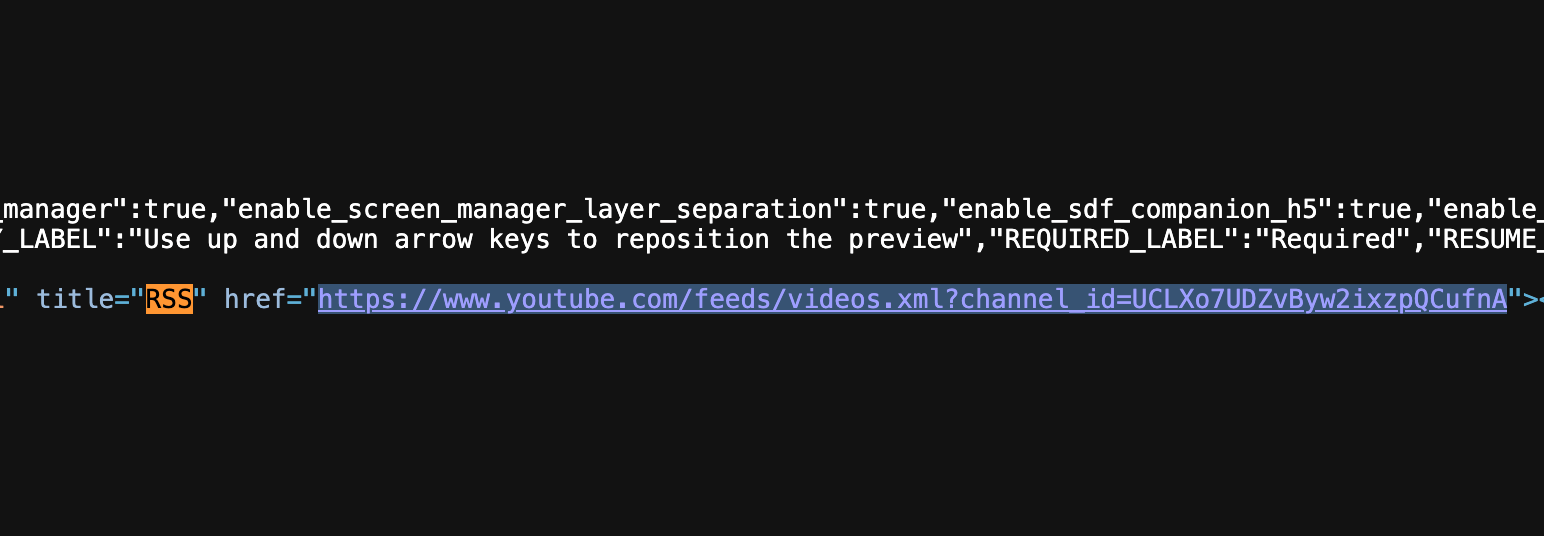
On sites that don’t display a link or icon, use your browser to view the page’s source. Search for “feed,” “rss,” or “xml” in the source. Most times, this will lead you to the full URL. This is the preferred method for Youtube channels.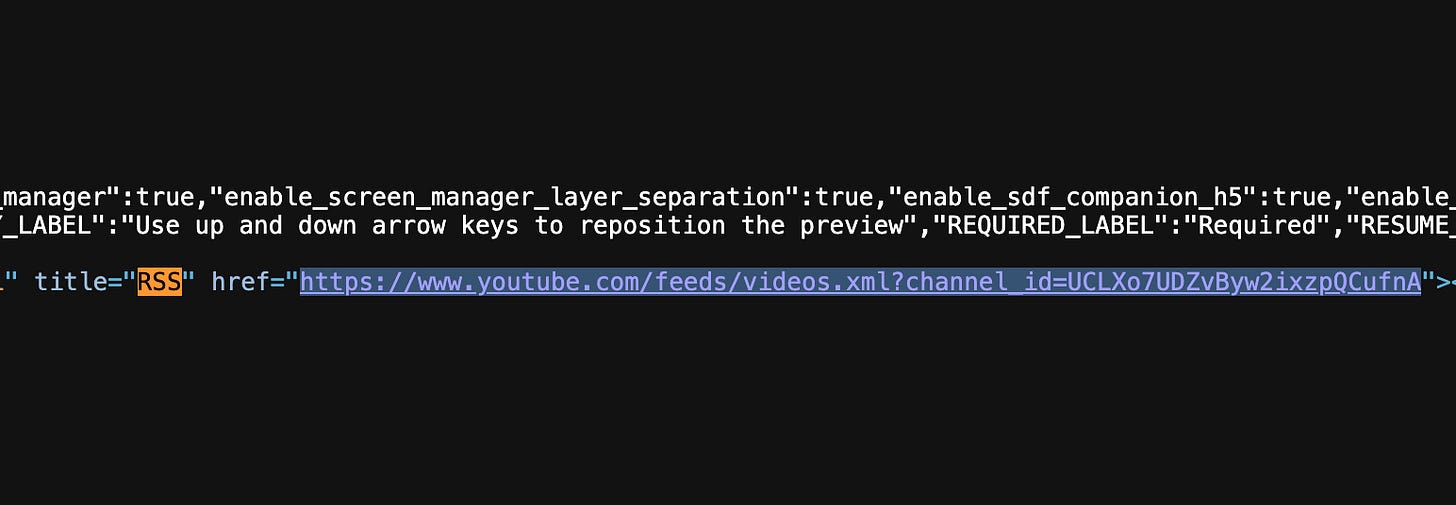
Locating a Youtube channel’s RSS feed by viewing the page source
Method 3: RSS Bridge
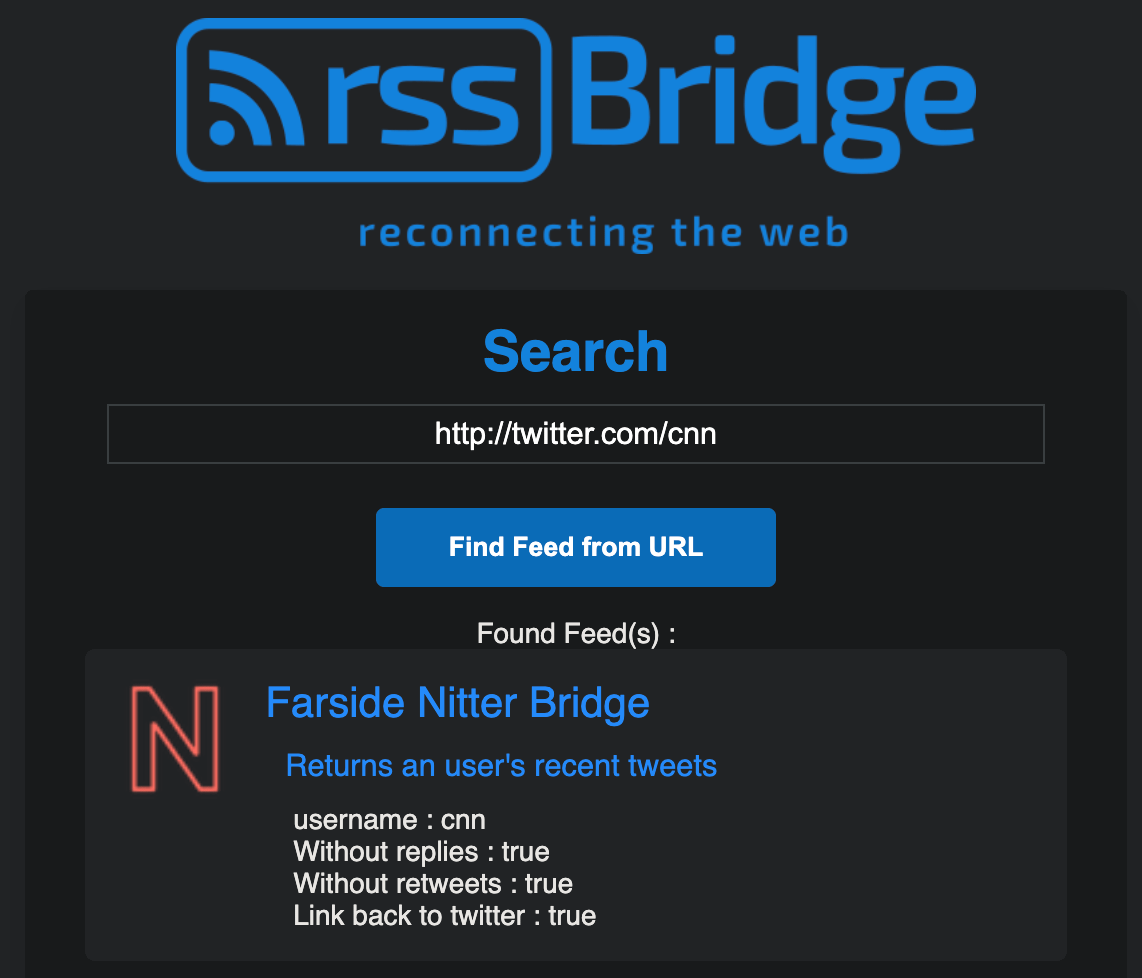
For social sites like Twitter and Instagram, tools like RSS Bridge can help generate or find existing feed URLs. Just paste the URL of the page you’d like to subscribe to. For Twitter, use the Twitter URL rather than the X version. When you find a working feed, select the Atom version of the feed.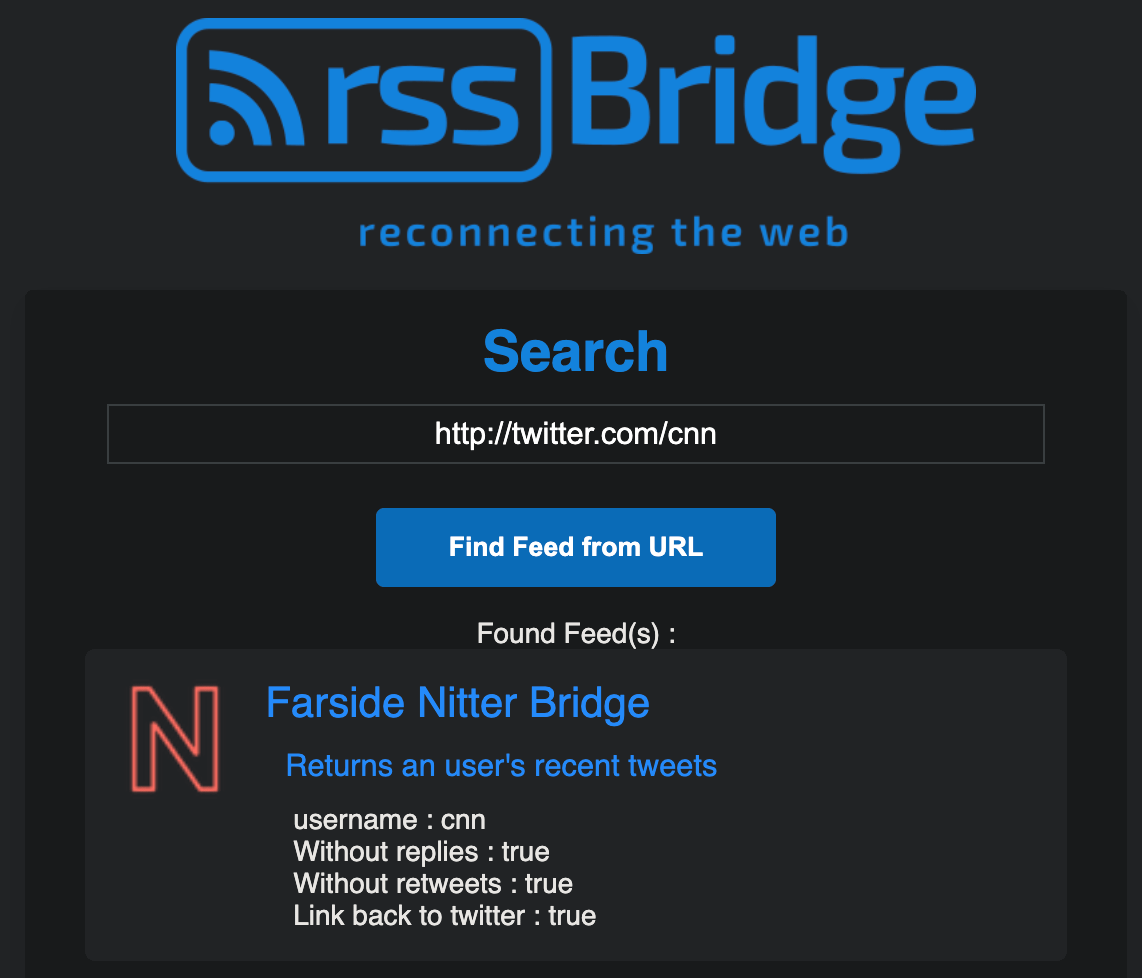
Using RSS Bridge to pull CNN’s feed
Setting up a custom RSS Reader
With the help of Claude.ai, I created a simple, lightweight RSS Feed Reader in PHP that doesn’t require databases or dependencies. Just unzip, upload, and get running in a few simple steps.
Requirements:
Hosting
PHP 7.3 or higher (included with most modern hosting plans)
Features:
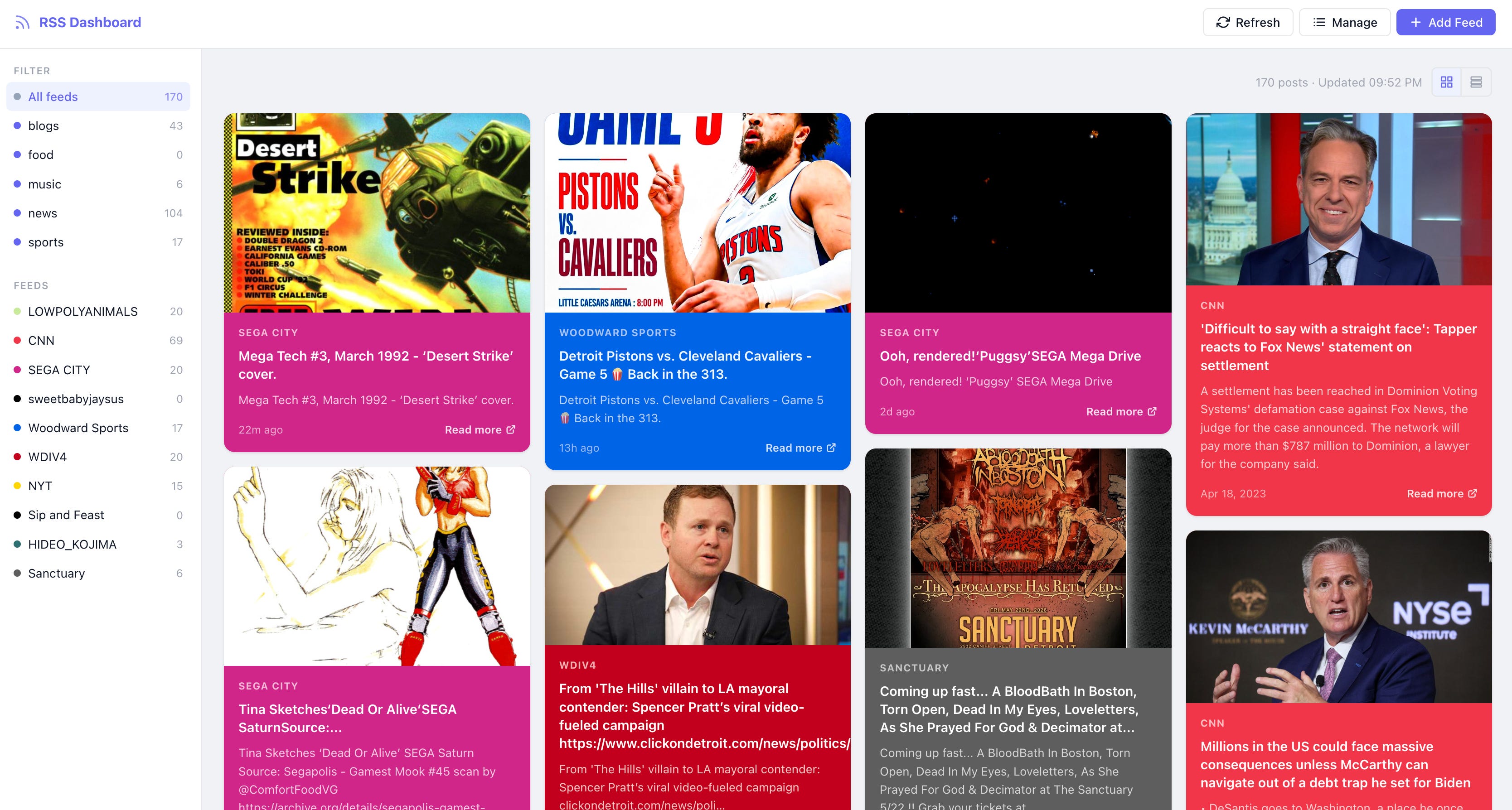
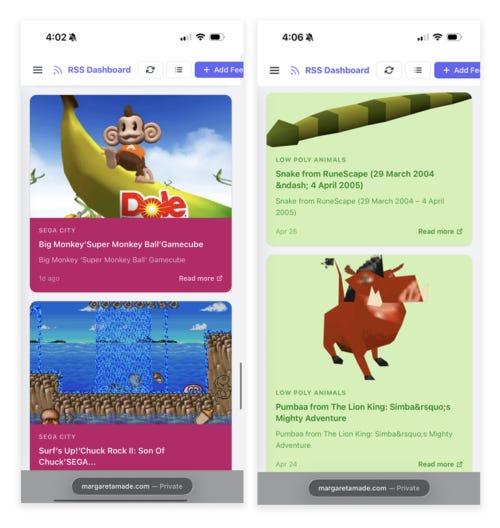
Dashboard view of all feeds with post images and excerpts
Grid and single column views
Unlimited feeds
Customize feed categories for quick filtering
Rename, update, and delete feeds
Customize feed background and font colors
Filter feed by source or category
Mobile-friendly
Password-protected feed manager
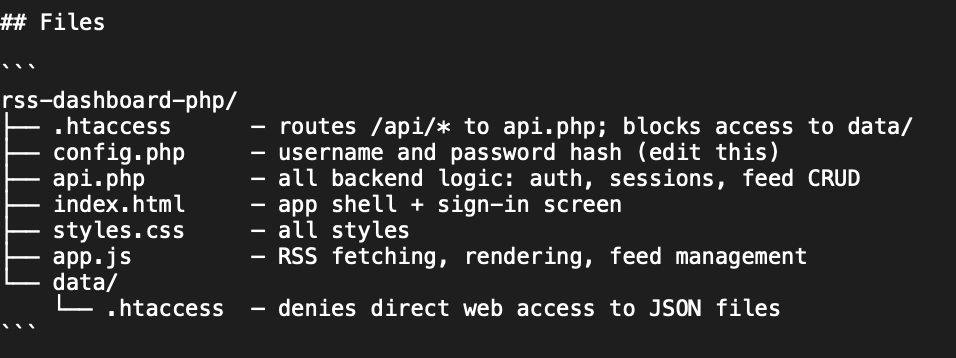
Files:
Setup:
Download the source code
Unzip the files
Upload all files to your server
Open makehash.php to create a password
Enter your preferred password between the quotes (YOURPASSWORDHERE):
<?php echo password_hash(’YOURPASSWORDHERE‘, PASSWORD_DEFAULT); ?>Save and navigate to makehash.php in your browser
Your password will be converted to a string. Copy the string.
Paste the string in config.php between the quotes (YOURSTRING):
define(’DASHBOARD_PASSWORD_HASH’, ‘YOURSTRING’); // <-- paste your hash hereImportant: Immediately delete makehash.php from the server.
Important: Set the permissions for /data directory to 755
Visit the root URL of your reader and log in using admin and the password you set in makehash.php
Adding Feeds:
Once logged in, locate the Add Feed button at the top right of the screen
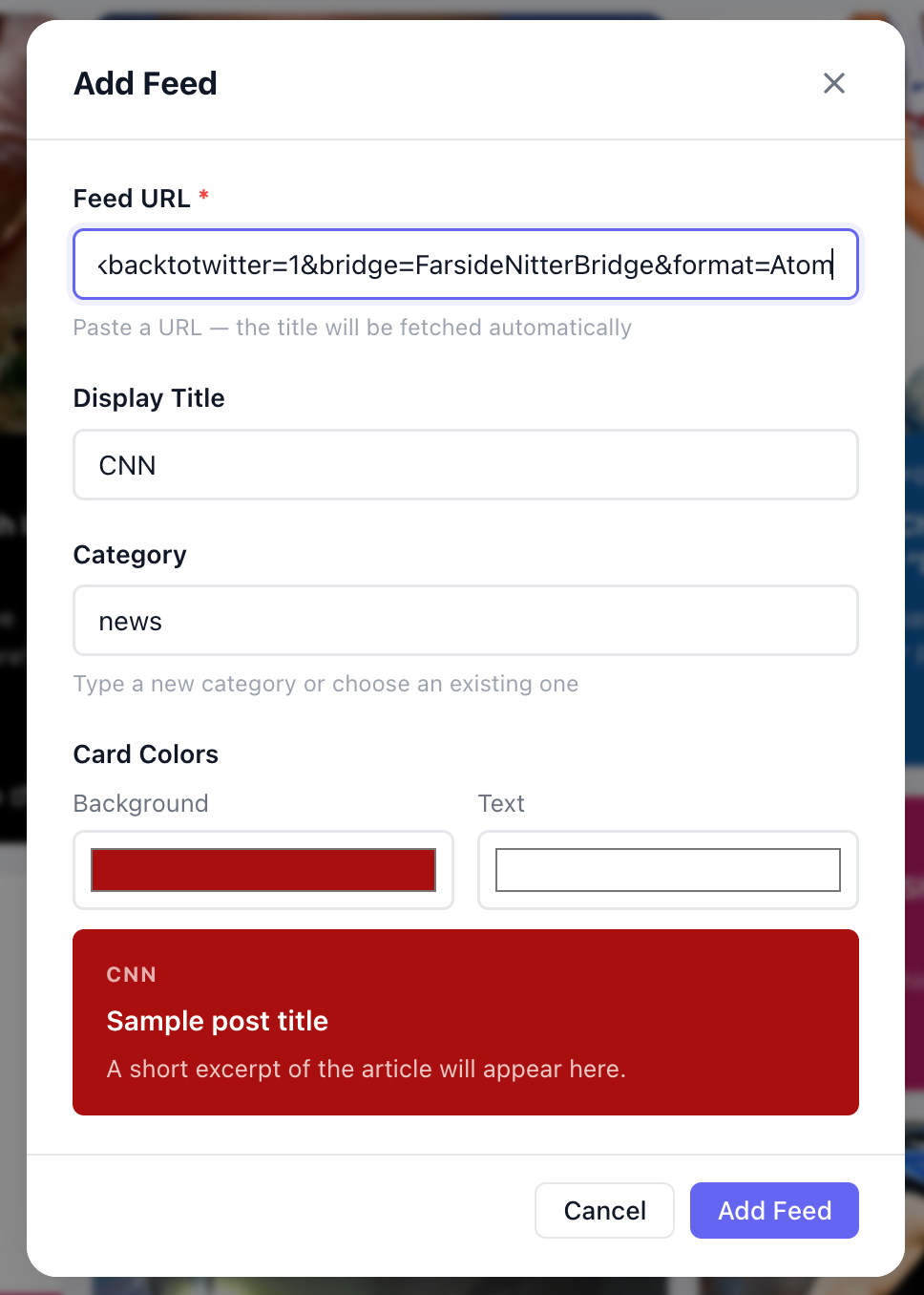
Enter the RSS feed URL and customize feed settings in the resulting popup window
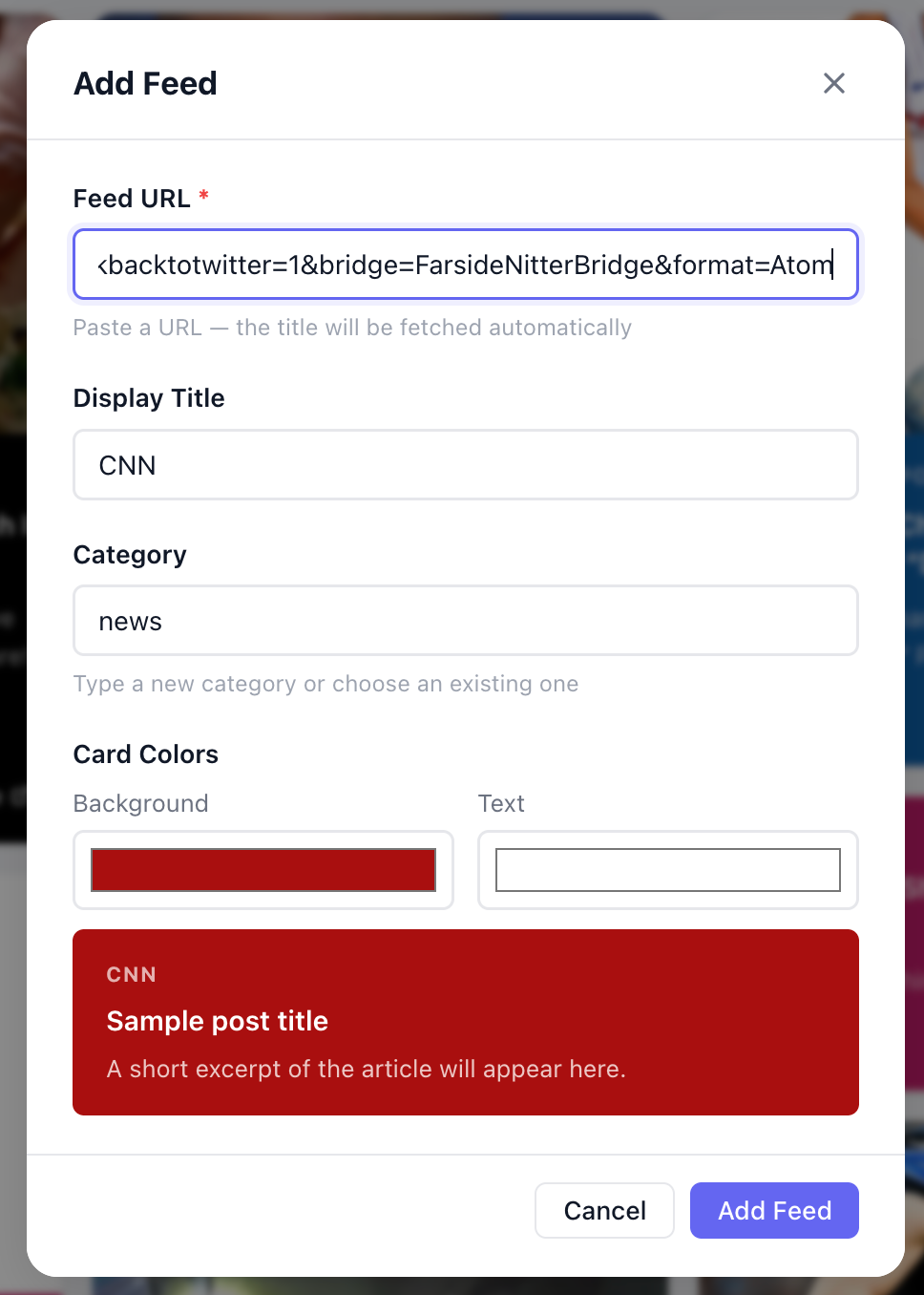
Your feed will be added to the dashboard with the colors you defined. Categories and individual feeds are available as filters on the left navigation.
Enjoy the mobile version on your devices and replace your need to constantly open apps, refresh feeds, and wait for notifications:
Start your RSS journey and happy surfing.